How to create beautiful images of code snippets | carbon-now-cli cheat-sheet
What is carbon-now-cli ? 🔗
carbon-now-cli is a tool written mostly in Typescript. Its job is to create beautiful images of code.
Why ? 🔗
We need a tool to convert code into a beautiful image of that written code with highlighted code with aethetically pleasing colors; to share on social media such as Twitter/X, Facebook, and Reddit. This is a need if you are “building in public”.
Common command usage 🔗
npx carbon-now-cli instead of carbon-now-cli to let me use it without installing any specific version.Create an image from a file using default settings:
npx carbon-now-cli path/to/file
Create an image from a text in clipboard using default settings:
npx carbon-now-cli --from-clipboard
Create an image from stdin using default settings and copy to the clipboard:
cat path/to/code/file | npx carbon-now-cli --to-clipboard
Create images interactively for custom settings and optionally save a preset:
npx carbon-now-cli -i path/to/file
# or
npx carbon-now-cli --interactive path/to/file
Create images from a previously saved preset:
npx carbon-now-cli -p preset path/to/file
# or
npx carbon-now-cli --preset preset path/to/file
Start at a specified line of text:
npx carbon-now-cli -s line path/to/file
# or
npx carbon-now-cli --start line path/to/file
End at a specific line of text:
npx carbon-now-cli -e line path/to/file
# or
npx carbon-now-cli --end line path/to/file
Open image in a browser instead of saving:
npx carbon-now-cli --open path/to/file
Convert Go code snippet into image 🔗
I run this carbon-now-cli command:
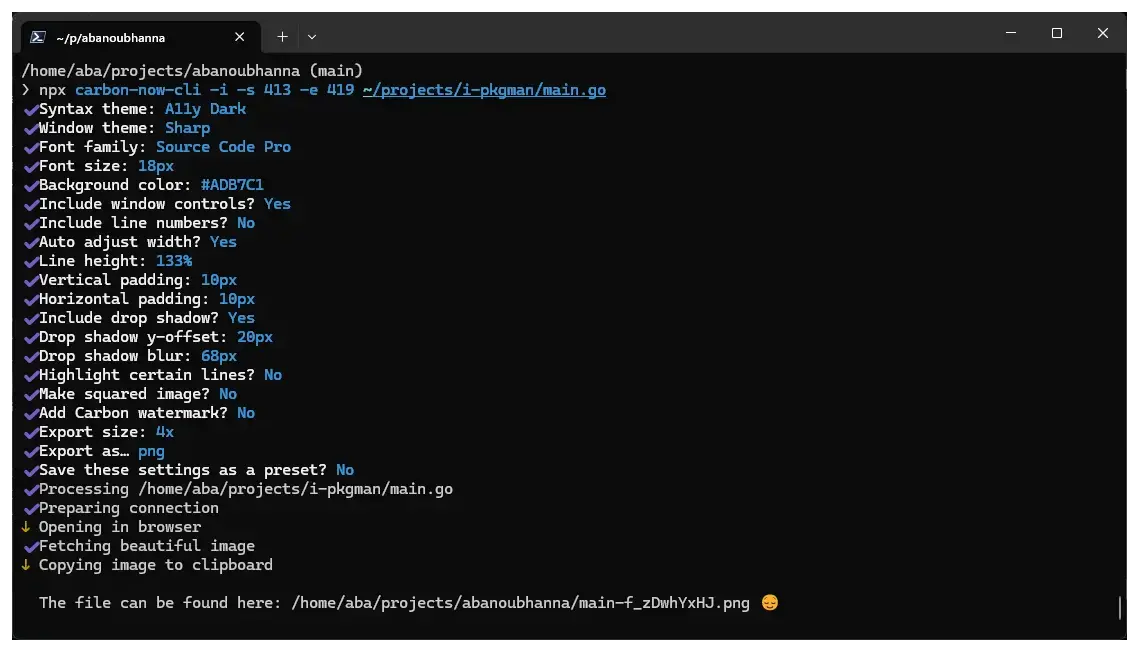
npx carbon-now-cli -i -s 413 -e 419 ~/projects/i-pkgman/main.go
Here is all the interactive steps:
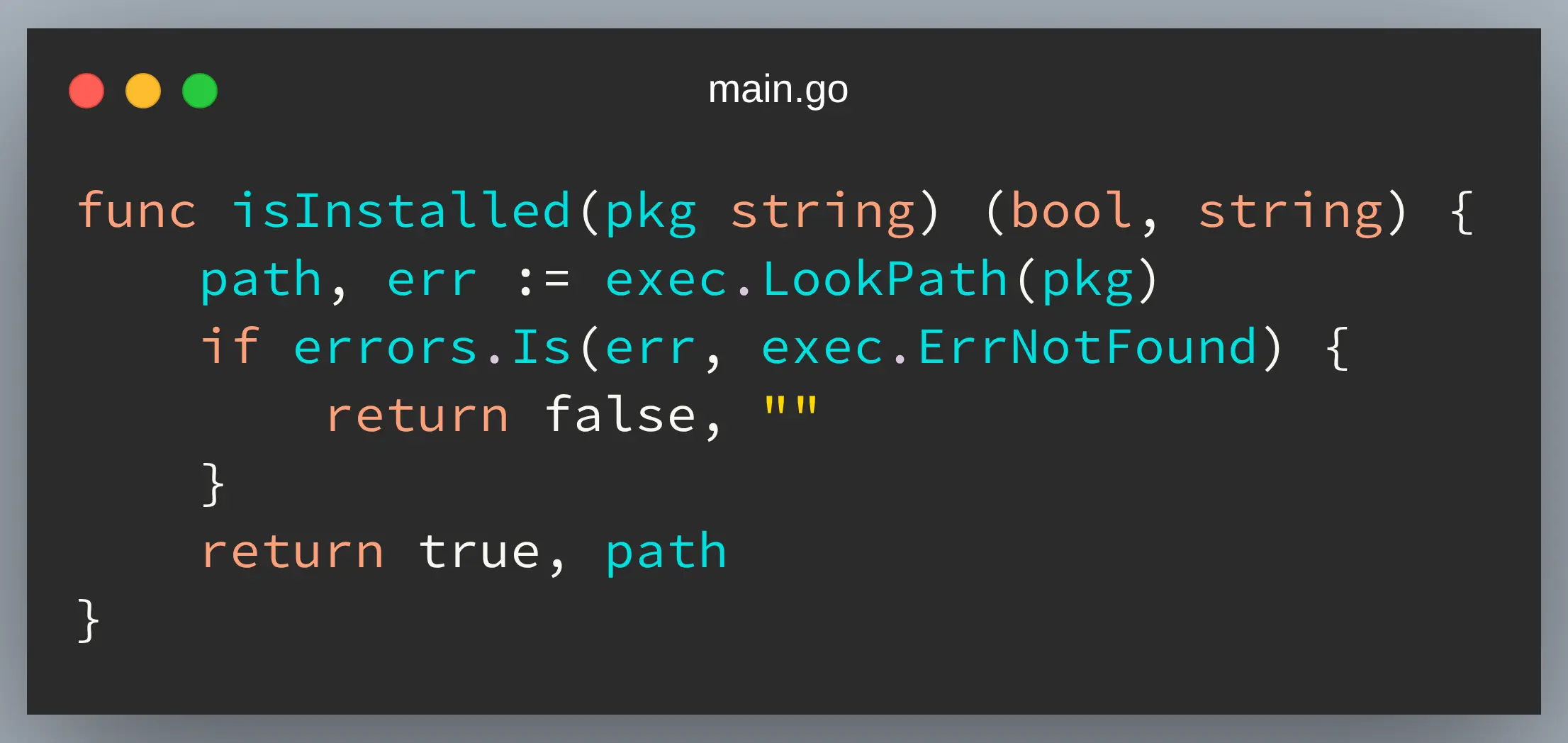
And that’s the result image of the code:
For more information, checkout its GitHub repository: https://github.com/mixn/carbon-now-cli .
I hope you enjoyed reading this post as much as I enjoyed writing it. If you know a person who can benefit from this information, send them a link of this post. If you want to get notified about new posts, follow me on YouTube , Twitter (x) , LinkedIn , and GitHub .