show file content | cat cheat-sheet
What is ‘cat’ ? 🔗
cat is one of the GNU core utils. It is used to print and concatenate files.
There are 2 versions of cat program. The first is GNU cat, and the other is POSIX-compliant cat.
Common usage available in GNU cat and POSIX cat 🔗
Print the contents of a file to the standard output (a.k.a. stdout):
cat path/to/file
Concatenate several files into an output file:
cat path/to/file1 path/to/file2 ... > path/to/output_file
Append several files to an output file:
cat path/to/file1 path/to/file2 ... >> path/to/output_file
Copy the contents of a file into an output file without buffering:
cat -u /dev/tty12 > /dev/tty13
Write the standard input (a.k.a. stdin) to a file:
cat - > path/to/file
Features available ONLY in GNU cat 🔗
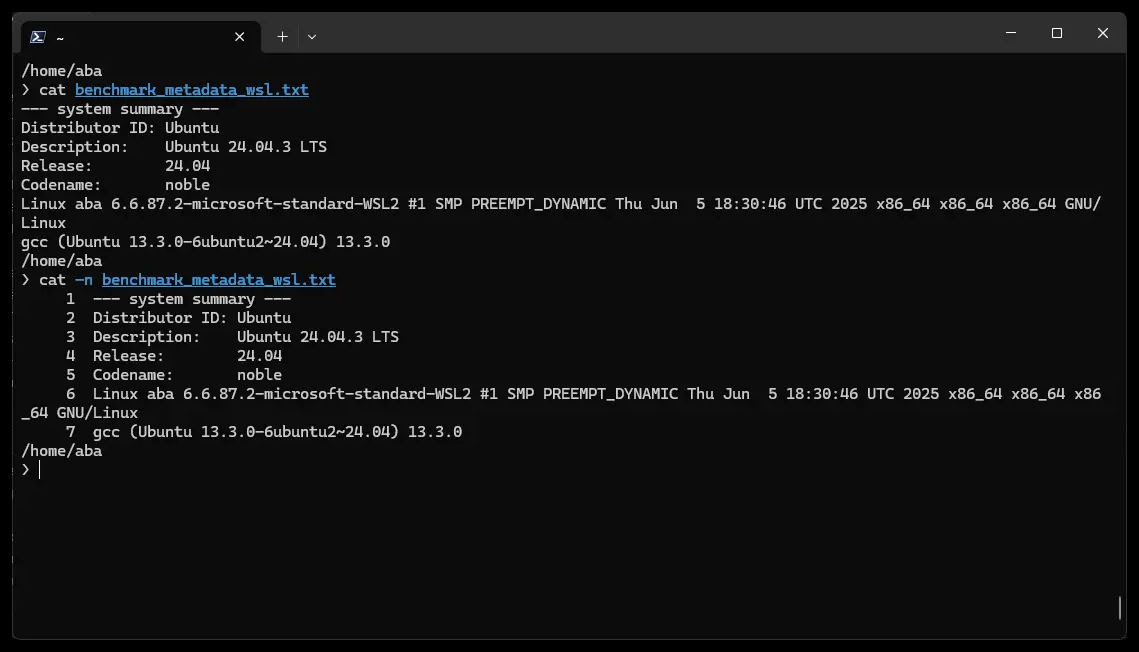
Number all output lines, starting with 1:
-b is in effect.cat [-n|--number] path/to/file
For example:
$ cat -n test.txt
1  --- system summary ---
2  Distributor ID: Ubuntu
3  Description:    Ubuntu 24.04.3 LTS
4  Release:        24.04
5  Codename:       noble
6  Linux aba 6.6.87.2-microsoft-standard-WSL2 #1 SMP PREEMPT_DYNAMIC Thu Jun  5 18:30:46 UTC 2025 x86_64 x86_64 x86_64 GNU/Linux
7  gcc (Ubuntu 13.3.0-6ubuntu2~24.04) 13.3.0
Or like this:
$ cat --number test.txt
1  --- system summary ---
2  Distributor ID: Ubuntu
3  Description:    Ubuntu 24.04.3 LTS
4  Release:        24.04
5  Codename:       noble
6  Linux aba 6.6.87.2-microsoft-standard-WSL2 #1 SMP PREEMPT_DYNAMIC Thu Jun  5 18:30:46 UTC 2025 x86_64 x86_64 x86_64 GNU/Linux
7  gcc (Ubuntu 13.3.0-6ubuntu2~24.04) 13.3.0
Or number all nonempty output lines, starting with 1 with this option/flag:
cat -b test.txt
cat --number-nonblank test.txt
Display a “$” after the end of each line. The \r\n combination is shown as “^M$”:
cat -E /path/to/file
cat --show-ends /path/to/file
Suppress repeated adjacent blank lines; output just one empty line instead of several.
cat -s /path/to/file
cat --squeeze-blank /path/to/file
Display TAB characters as “^I”.
cat -T /path/to/file
cat --show-tabs /path/to/file
Display control characters except for LFD and TAB using “^” notation and precede characters that have the high bit set with “M-”.
cat -v /path/to/file
cat --show-nonprinting /path/to/file
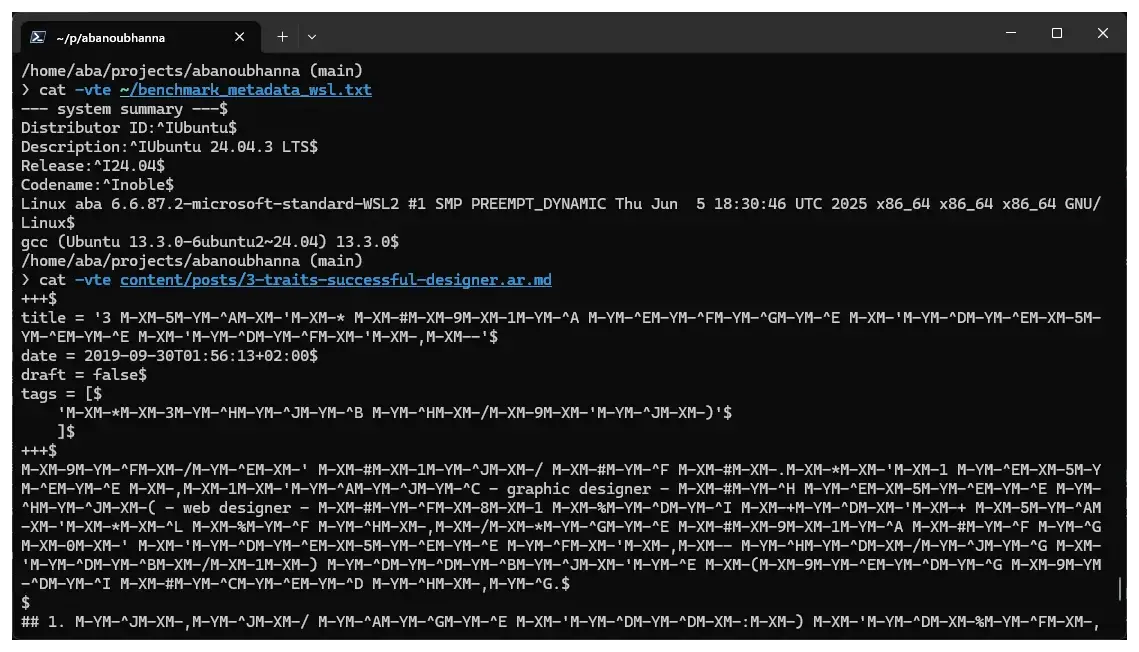
Display non-printable and whitespace characters (with M- prefix if non-ASCII):
cat -vte path/to/file
# or
cat --show-nonprinting -t -e path/to/file
For example, seeing ASCII characters is like this:
$ cat -vte ~/benchmark_metadata_wsl.txt
--- system summary ---$
Distributor ID:^IUbuntu$
Description:^IUbuntu 24.04.3 LTS$
Release:^I24.04$
Codename:^Inoble$
Linux aba 6.6.87.2-microsoft-standard-WSL2 #1 SMP PREEMPT_DYNAMIC Thu Jun  5 18:30:46 UTC 2025 x86_64 x86_64 x86_64 GNU/Linux$
gcc (Ubuntu 13.3.0-6ubuntu2~24.04) 13.3.0$
And seeing Arabic Unicode character is like this:
$ cat -vte content/posts/3-traits-successful-designer.ar.md
+++$
title = '3 M-XM-5M-YM-^AM-XM-'M-XM-* M-XM-#M-XM-9M-XM-1M-YM-^A M-YM-^EM-YM-^FM-YM-^GM-YM-^E M-XM-'M-YM-^DM-YM-^EM-XM-5M-YM-^EM-YM-^E M-XM-'M-YM-^DM-YM-^FM-XM-'M-XM-,M-XM--'$
date = 2019-09-30T01:56:13+02:00$
draft = false$
tags = [$
    'M-XM-*M-XM-3M-YM-^HM-YM-^JM-YM-^B M-YM-^HM-XM-/M-XM-9M-XM-'M-YM-^JM-XM-)'$
    ]$
+++$
M-XM-9M-YM-^FM-XM-/M-YM-^EM-XM-' M-XM-#M-XM-1M-YM-^JM-XM-/ M-XM-#M-YM-^F M-XM-#M-XM-.M-XM-*M-XM-'M-XM-1 M-YM-^EM-XM-5M-YM-^EM-YM-^E M-XM-,M-XM-1M-XM-'M-YM-^AM-YM-^JM-YM-^C - graphic designer - M-XM-#M-YM-^H M-YM-^EM-XM-5M-YM-^EM-YM-^E M-YM-^HM-YM-^JM-XM-( - web designer - M-XM-#M-YM-^FM-XM-8M-XM-1 M-XM-%M-YM-^DM-YM-^I M-XM-+M-YM-^DM-XM-'M-XM-+
Another option/flag that is equivalent to -vET:
cat -A path/to/file
# or
cat --show-all path/to/file
Here is another flag/option that is equivalent to -vE:
cat -e /path/to/file
Here is a flag/option that is equivalent to -vT.
cat -t /path/to/file
I hope you enjoyed reading this post as much as I enjoyed writing it. If you know a person who can benefit from this information, send them a link of this post. If you want to get notified about new posts, follow me on YouTube , Twitter (x) , LinkedIn , and GitHub .