Fixing UI Lag | Lazygit just got a major speed boost for one of its most frustrating pain points
- Part 1: How fzf Just Became Way More Memory-Efficient: The Bitmap Cache Upgrade
- Part 2: Unlocking Faster Fuzzy Finding: How a Smart Work Queue Made fzf Even Quicker
- Part 3: Speeding Up fzf: How a Tiny Change Made the World's Fastest Fuzzy Finder Even Faster
- Part 4: Fixing a Sneaky XSS Vulnerability in Hugo: Inside the Commit That Makes Markdown Rendering Safer
- Part 5: Fixing Syncthing’s REST API: Why “application/json; charset=utf-8” Was Wrong and How a Simple Commit Made It Right
- Part 6: Fixing UI Lag | Lazygit just got a major speed boost for one of its most frustrating pain points
- Part 7: Traefik PR #12880: A Tiny Fix That Squashes Unnecessary Allocations and Kills Routing Lag
- Part 8: Fixing Header Sanitization in Traefik’s PassTLSClientCert Middleware: A Deep Dive into PR #12875
Lazygit just got a major speed boost for one of its most frustrating pain points. If you’ve ever tried to discard changes in a big directory (or range-selected dozens of files) and watched your terminal freeze like it was compiling the Linux kernel… this pull request is for you.
In this easy-to-follow blog post, we’ll break down PR #5407 (“Improve performance of discarding many files”) step by step: what the problem was, why it happened, how the commits fixed it, and exactly why your lazygit experience is now snappier. No jargon overload — just clear explanations, simple analogies, and visuals.
The Problem: “Why is Lazygit Hanging When I Discard Files?” 🔗
Lazygit is the beloved terminal UI for Git. You navigate the Files panel, select a directory full of changes (or hit v to range-select a ton of files), press d to discard, and… nothing. The UI freezes. No spinner. No progress. It feels like the app crashed.
This was tracked as Issue #4581 (“Discard changes can be very slow”). Users reported it with node_modules folders, large generated code, or just “a decent amount of files” (100+). The root cause? Under the hood, lazygit was making one Git command per file.
Think of it like this:
- Old way = Ordering 500 separate pizzas, one at a time, each with its own delivery driver.
- Each
git checkoutorgit resetspawns a new process, parses arguments, talks to Git’s internals… and repeats 500 times.
Even on a fast machine, this adds up to seconds of lag (or longer). And because the UI thread was blocked waiting for all those calls, you got no feedback at all.
The Goals of PR #5407 (Clearly Stated) 🔗
The pull request by contributor stefanhaller had three clear goals:
- Make discarding hundreds/thousands of files fast (no more “hangs”).
- Fix a sneaky bug where “Discard unstaged changes” ignored your path filter (e.g., after pressing
/to search). - Add solid tests so this never regresses.
By the end of the PR (and it was merged cleanly into master), all three goals were fully achieved. Let’s see how.
How the Lag Was Fixed: The Technical Deep Dive (Made Simple) 🔗
The core changes live in lazygit’s working-tree discard logic. Here’s the “before vs. after” in plain English.
Before (The Slow Way) 🔗
- Lazygit walked through every changed file.
- For each one, it ran a separate command:
git checkout -- <file>(for unstaged changes)git reset HEAD -- <file>(for staged changes)os.Removefor brand-new untracked files
- Result: N+1 problem — N files = N+1 expensive Git invocations.
After (The Fast Way — Batching!) 🔗
The PR introduced a smart helper called runGitCmdOnPaths. It does two brilliant things:
- Collects files into batches (e.g., all files that need
git reset, all that needgit checkout). - Runs one Git command with all the paths at once:
git reset HEAD -- file1 file2 file3 ...
But there’s a catch on some operating systems (especially Windows): the command line has a length limit (~30 KB). So runGitCmdOnPaths automatically splits huge lists into smaller safe batches.
Here’s the key function (simplified for clarity):
func runGitCmdOnPaths(subcommand string, paths []string) error {
    const maxArgBytes = 30_000  // Safe limit
    // ... loop that groups paths into chunks ...
    cmd.New(NewGitCmd(subcommand).Arg("--").Arg(pathsInThisBatch...)).Run()
}
It also uses node.ForEachFile to iterate individual files even when you select a whole directory in the UI. This was crucial for the filter bug fix.
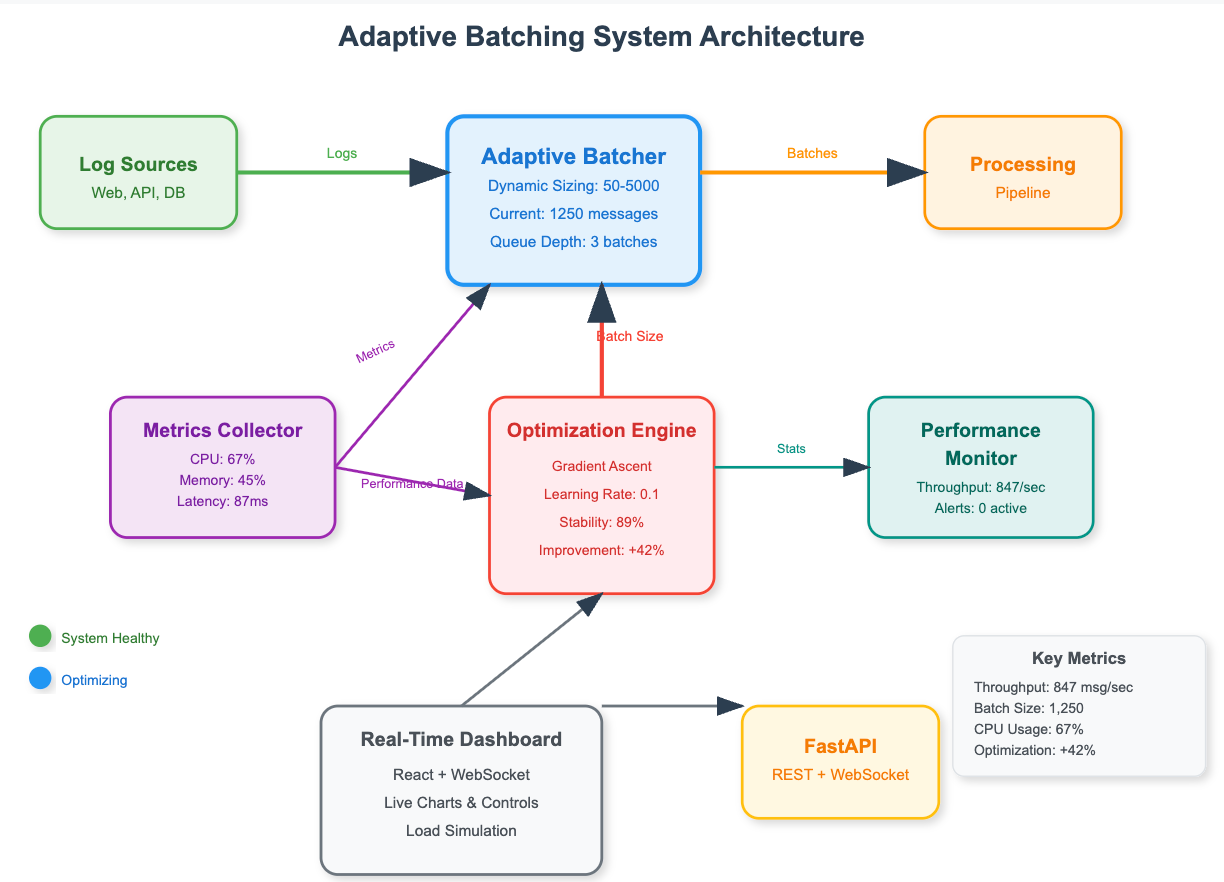 source: sdcourse on substack
Visual analogy above: The diagram shows “batching” in action — instead of processing one item at a time (slow), the system groups them intelligently for massive speed gains. Exactly what this PR does under the hood.
The Filtering Bug Fix (Bonus Win) 🔗
Before: When you filtered the file list (e.g., only showing files under src/), “Discard unstaged changes” would sometimes discard everything in the repo.
After: The code now correctly classifies each visible file:
- Untracked + no staged changes? → Delete it.
- Anything else? →
git checkoutit.
This ensures only the files you see are touched. Perfect.
The Commits: What, How, and Why (In Order) 🔗
The PR was nicely broken into small, reviewable commits:
- Cleanup commits (706a6c0, 4a8ab6f, 4aa455e) — Minor refactors and better test assertions. Made the code easier to work with.
- New tests (5b829a6, f987b35) — Unit tests that demonstrated the old slowness + integration tests for filtering. These proved the bug existed.
- The big one:
runGitCmdOnPaths(e434f5b) — The new utility. - Performance overhaul for directories (ad31400) — The heart of the fix. Batching + individual-path logic.
- Performance for range-selected files (4d46f5a) — Also fixed the “press
vthen discard a huge list” case.
Every change was purposeful: clean up first, test the problem, add the tool, then apply the speedup.
Proof It Works: Goals Achieved ✅ 🔗
- Lag fixed? Yes — “This PR improves the performance greatly by batching the individual git calls into a single one if possible”.
- Bug fixed? Yes — Filtering now respected perfectly.
- No UI feedback added (intentionally) — The operation is now fast enough that a spinner isn’t needed.
- Tests added — Future-proof.
- Merged cleanly on March 27, 2026.
You can update lazygit today and enjoy the difference the next time you clean up a messy branch!
Why This Matters for Everyday Git Users 🔗
Lazygit is all about speed and joy in your terminal workflow. This PR removes one of the last “gotchas” that made it feel slower than raw Git in edge cases. It’s a perfect example of thoughtful open-source engineering: spot a real user pain, measure it, fix it at the root, and test it.
Next time you’re in the Files panel and hit d on a big selection, just smile — those invisible batches are working hard behind the scenes. 🚀
Want to dive deeper?
- Check the PR: github.com/jesseduffield/lazygit/pull/5407
- Original issue: Issue #4581
Happy coding (and discarding)! If you run into other lazygit quirks, create an issue there — the community is fantastic.
I hope you enjoyed reading this post as much as I enjoyed writing it. If you know a person who can benefit from this information, send them a link of this post. If you want to get notified about new posts, follow me on YouTube , Twitter (x) , LinkedIn , and GitHub .
- Part 1: How fzf Just Became Way More Memory-Efficient: The Bitmap Cache Upgrade
- Part 2: Unlocking Faster Fuzzy Finding: How a Smart Work Queue Made fzf Even Quicker
- Part 3: Speeding Up fzf: How a Tiny Change Made the World's Fastest Fuzzy Finder Even Faster
- Part 4: Fixing a Sneaky XSS Vulnerability in Hugo: Inside the Commit That Makes Markdown Rendering Safer
- Part 5: Fixing Syncthing’s REST API: Why “application/json; charset=utf-8” Was Wrong and How a Simple Commit Made It Right
- Part 6: Fixing UI Lag | Lazygit just got a major speed boost for one of its most frustrating pain points
- Part 7: Traefik PR #12880: A Tiny Fix That Squashes Unnecessary Allocations and Kills Routing Lag
- Part 8: Fixing Header Sanitization in Traefik’s PassTLSClientCert Middleware: A Deep Dive into PR #12875